Thursday, September 25, 2014

Experimentation

As of this moment, I have two different "toys" that I am working on. I'm trying to come up with a way to combine them, but for the moment they are separate.


Night Vision:
The idea is to turn on your night vision camera and be able to see things that you never had before. The answer to puzzles are now more obvious and items are now collectable. The setting would be an abandoned hydroelectric plant, specifically the basement part. The place is rumored to be haunted, so you've gone to investigate. Obstacles would include things being in the players way and by using the camera, the player can see how to interact with it to move it. I'm also thinking of including certain collectables that charge the night vision. That way it's not just as easy as turning it on whenever you need it.


Phasing:
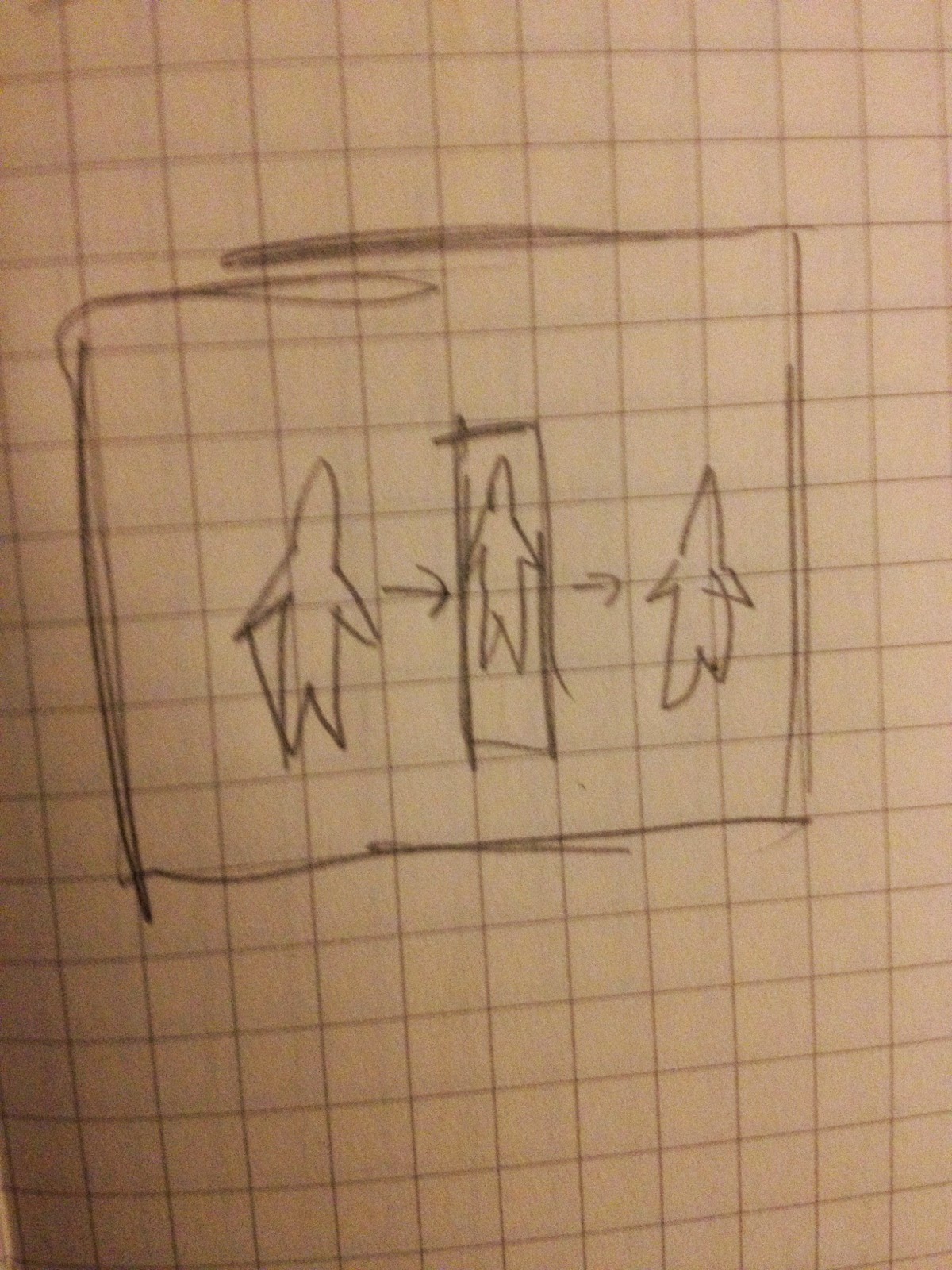
This idea involves becoming more powerful throughout gameplay so you can phase through denser and thicker materials. For this one, I was picking another underground location, this time a cave. The player is hunting for treasure in these mineral rich mines, however there are a lot of dead ends. By collecting power stones, the player can phase through more materials. At first it would be something like rock and then last the player would be able to phase through something as strong as diamond. Obstacles in this would be the different walls that the player has to phase through.

Thursday, September 18, 2014

"Toy" Brainstorming

Essentially, this "toy" is a mechanic that we think would be fun to play with. Here are my ideas:

  • Light beams. Basically, I see this as sneaking between areas so the light doesn't touch you. If it does, you die. I was also thinking of throwing in some mirrors so you could redirect the lights to distract you enemies. 
  • Phasing. This one would be where you have the ability to phase through various surfaces. 
  • Night vision. Using a night vision camera, you can see certain things that you couldn't if it was just the normal camera. 
  • Gravity. I'm picturing this one as the character has gravity abilities which they must use to navigate the terrain  and solve puzzles. 
  • Hydra. The main goal of this would be to sneak past enemies without killing them. If you do, two pop up in their place. The more enemies, the harder it is to get to your goal. Killing could also be switched out with spotting. 
  • Thermo. This would be where you used a camera to see peoples body temperature. You would ask them a series of questions to see if they were lying or not based on spikes. 
  • Magnetic grappling. By collecting a certain amount of energy, you would be able to use you magnetic grappling hook to get to places you previously couldn't get to. 
  • Energy shields. This is a race against time. You have to get to the end of the level before time runs out while also dodging projectiles. Your one defense is the energy shields. However, the more they get hit, the weaker they are. 
  • Phantom. Travel between the earthly and spirit planes while wreaking havoc. 
  • Teleportation. Need to get somewhere quick? Use your nifty teleportation abilities. 

Thursday, September 11, 2014

Multiplayer Level Layout

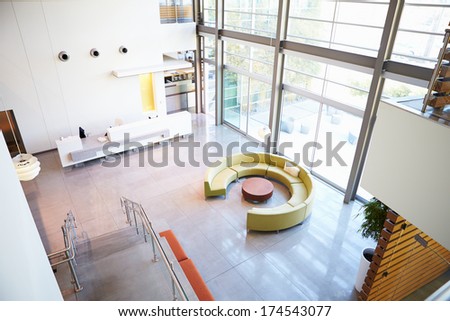
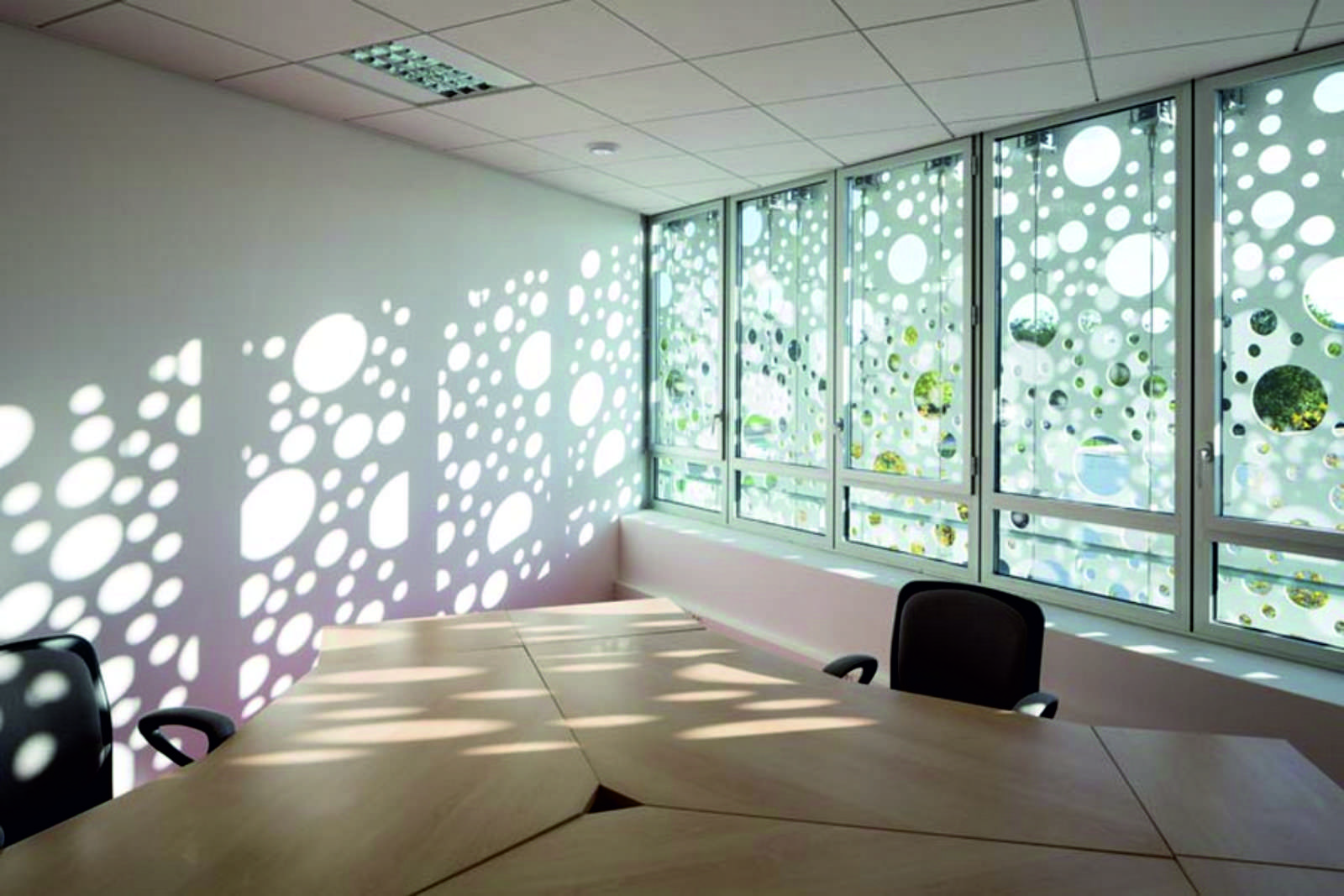
For my level, I was thinking something indoors. I like when there is a lot of tight corners to run around and enemies potentially being around every corner.  Also, this will help with closing players off from other areas. It would probably be set in the fall around late afternoon, to get some nice shadows going. I'm thinking that this would be more of an empty office/reception area, where there wouldn't be too much stuff. The architecture will be modern to futuristic. Because its indoors, there wouldn't be any terrain or vegetation. I don't plan on including any windows that you can see out of (this may change). If it does, then probably rolling green hills (maybe fires due to the aliens). I'm going to go with, some sort of alien envision happened. Fortunately for this building, it was on the outskirts of town and the workers had time to evacuate. So besides the occasional paper on the floor, it should be relatively clean. Here are some inspirational images:
The assets that I'll probably need are tables, reception desk, railing, chairs, trashcans, and light fixtures. 
I definitely want some long shadows. 


Sunday, September 7, 2014

Multiplayer Analysis: Modern Warfare 3 Dome

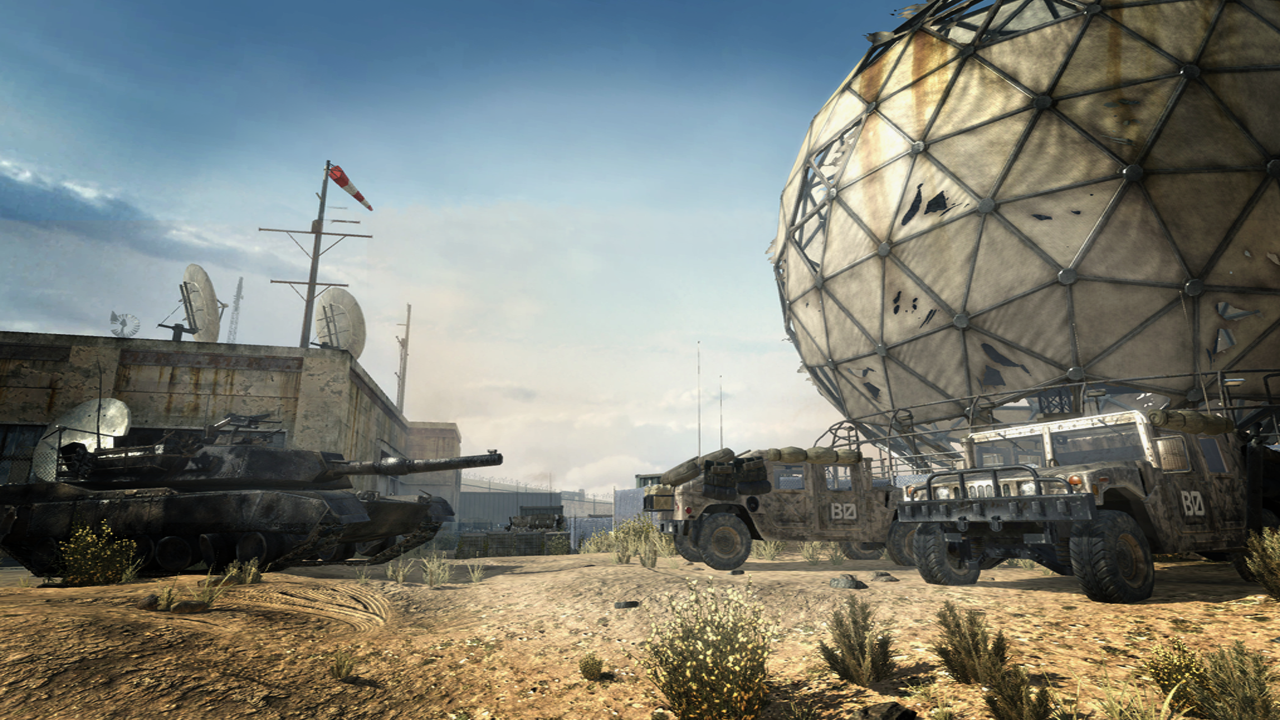
Modern Warfare 3 (MW3 for the rest of this post) is Activision 2011 installment installment of the massively popular Call of Duty franchise.  Just like previous games, it focuses on interesting locations where players can duke it out either with friends or by themselves. The level that I will be focusing on is the Dome. The Dome is a Cold War-era bunker in the desert, with a giant dome (get the name) as its center piece.
Its set in modern day, so the bunker is run down. The game is during the daytime, which makes the level very bright. For most of the level, it feels very open. Its set in the desert, so there are wide areas around it that makes it feel open. Also, the way that they keep you from leaving the area are metal fences, which allows you to see out into the "vast" expanse of the desert. There are three major areas to the map: the dome, outside, the office, and the bunker. The dome is the giant radio that is seen on the load screen. It has a cat walk on top and an inside underneath. Seeing as its the center piece, a lot of action goes on around here. In the outside area, there are a lot of barriers and cars to hide behind, but overall there is a lot more space. This is also where enemy and friendly strikes can be called in for the most impact.
The bunker and office area of the map is where a lot of close quarter combat happens. The office is above ground, but the dark walls and narrow hallways make it feel tight and cramped. The bunker underground, which gives it a claustrophobic dark vibe.
The level has a lot of twists and turns with a couple areas funneling action through them. While playing, I realized that a lot of players like to try and set up some sort of traps, be it strikes or just patrolling them. The basic mechanics in this level are shooting, running, throwing grenades, and stabbing. After getting enough points from killing, the player has the ability to set strike packages down. These could be anything from turrets that last a short time to manning a osprey to kill your enemies. Here's a video of game play: MW3 video

Here is my level layout for level: MW3 Dome Level Analysis

Sunday, August 24, 2014

Jumpin Jim's Beach Adventure

The working title for my tutorial level is "Jumpin Jim's Beach Adventure." The main conflict in the level would be Jim vs the alligators, which for the sake of my story, have taken over the beach. It'll be set on the beach during the summer between late afternoon and sunset. Prior to Jumpin Jim getting to the beach, the alligators took over causing all the tourist to evacuate, leaving everything behind. Architecture wise, I was thinking having the boss alligator in a lifeguard's stand. Jumpin Jim was having some ice cream near by when he heard the screams. Seeing as he's the only Jumper in town, he rushed off to go help. Here's a link to my rough layout for my level: Jumpin Jim's (rough) Beach Adventure

Thursday, August 21, 2014

Cuboy Quest 2

For my analysis of the tutorial level of a platformer game, I choose something not so traditional. Cuboy Quest 2 is a platformer that also involves puzzle solving. After playing through the game, I decided that the first seven levels cover the "tutorial" for the game. The very first level is so basic that I find it brilliant. One of the mechanics of platformers is jumping. That is the only obstacle in the first level. Each of the following levels have simple layouts for the easiest understanding of future gameplay. Level three is set up so that the only way to unlock the door is to ricochet bullets to hit the targets. Level five you must shoot a wooden block out of the air so you can walk across the lava blocks. Its all set up so simply that you understand almost straight away what you need to do to advance. The puzzle aspect of the game allows each level to stay fresh and not get to slow. Not only that, but they aren't very cluttered (the platforms that is) so each level doesn't feel like an eternity. Nothing is handed to the player in the game. In the very first level, you get stuck in the first indention. If you don't jump, you don't move on. Nowhere does it say that, but all the clues are there. That's how most of the game plays. Each level, the obstacle of getting to the exit is present. Each level though, has its own specific challenge. Some are targets that you have to hit to open the doors while others are robots or lava blocks you must avoid. Each level, the obstacles get slightly harder and harder. The only reward really given to the player is that, by getting to the exit, you unlock the next level. There is no story in the game.

Here is the first seven levels:


Tuesday, April 22, 2014

10 Tool Ideas

For programming class, we have to come up with 10 tool ideas that would be useful to our major. Here are my 10:

    1. Combine touching faces. I've had issues before where I'd duplicate a model on accident, delete it, and somehow there would be a few faces left over. And of course because they're touching, I can't see them.
    2. Rotate 90 degrees. Yes, it's easy to do, but I'm lazy and would like a button that when I click, it would rotate the model exactly 90 degrees on whatever axis I choose. Having to move my hand to type in 90 takes time.
    3. Snap pivot to the bottom of a mesh when it's combined. Every time I combine two objects, the pivot goes right back to the origin. That's not helping when I'm modeling away from the origin.
    4. Backwards normals and Ngons. Have a tool that will check if all the normals are facing the right way (basically switching them with conform) and if they're are any Ngons on the model.
    5. Align objects to the same axis. If you need all your objects aligned on x, it'll snap them to it.
    6. Snap object to center of the world. When exporting you put your object center of the world, why not make it easy with a preprogrammed button.
    7. Equal out verts on a single edge. This would make all the verts uniform and easier to manipulate.
    8. Find all one edge verts. When you accidentally hit delete rather than ctrl+delete on an edge, wouldn't it be nice to be able to select all those one edge verts and just delete them?
    9. Move verts around randomly, I see this being helpful when modeling rocks. One quick button and you're already started.
  10. Delete edge. Instead of hitting ctrl+delete, a button that you click so you don't have to move your hands.